 Punch Clock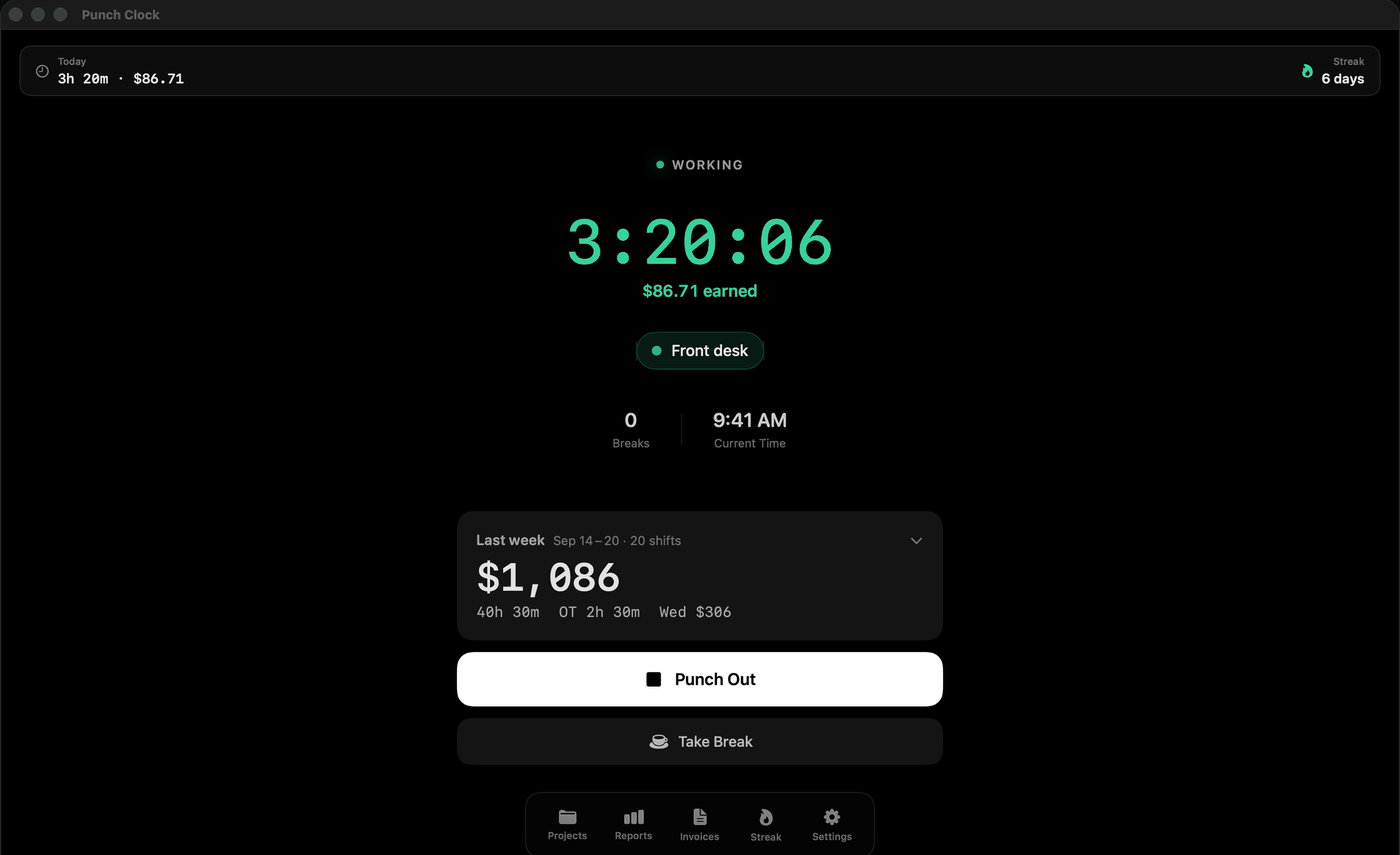
What the menu bar shows
- Time and earnings, like 3:20 · $86.71, when you have an hourly rate set. Minutes only, because the pay already moves.
- A ticking clock if you turn earnings off or haven't set a rate.
- Just the icon if you'd rather not see numbers at all.
Click it to punch in to a job, take a break or punch out, without opening the main window.
When you step away from your desk
If you're punched in and the Mac sees no keyboard or mouse activity for 15 minutes (you can change that), Punch Clock notices. When you come back it shows how long you were gone, for example "Away 22 min", with what that time is worth, and asks:
- Count it: the time stays on the clock, as if you'd been working.
- Don't count it: the shift ends at the moment you went idle and a new one starts when you returned, on the same job.
Nothing is taken off unless you choose. Punch Clock only reads how long it's been since the last input; it doesn't record what you type, take screenshots or watch your apps.
The rest of Punch Clock, on a bigger screen
The Mac app has the full clock window, reports, pay rules, timesheets and invoices. Timesheets and invoices save straight to Finder. Like the iPhone app, the free version covers the clock, live earnings at your hourly rate, one job, the Weekly Pay Summary and CSV exports. Pro adds overtime, breaks, rounding and pay periods, unlimited jobs, per-job rates, PDF and Excel timesheets, invoice PDFs and your full history.
Mac and iPhone, one clock
With Pro, iCloud keeps your Mac, iPhone and iPad in sync, in your own iCloud account. Punch in on the Mac at your desk and punch out from your iPhone's Lock Screen on the way home. One Pro purchase covers every device on your Apple Account: $4.99 a month, $29.99 a year with a 7-day free trial, or $49.99 once.
Who it's for
Anyone paid by the hour who works at a Mac for at least part of the day: freelancers and contractors billing clients, part-time and remote staff who fill in a timesheet, and anyone who just wants to see what the day is worth while it happens.

One download for Mac, iPhone and iPad.